 Switching guide · Paper and Excel to EverlyPro
Your spreadsheets have
done their job.
Excel, Google Sheets, Word templates, a diary and a filing cabinet. We move it all into one system for free and train your whole team. Fully live in two weeks, with a 60-day money-back guarantee.
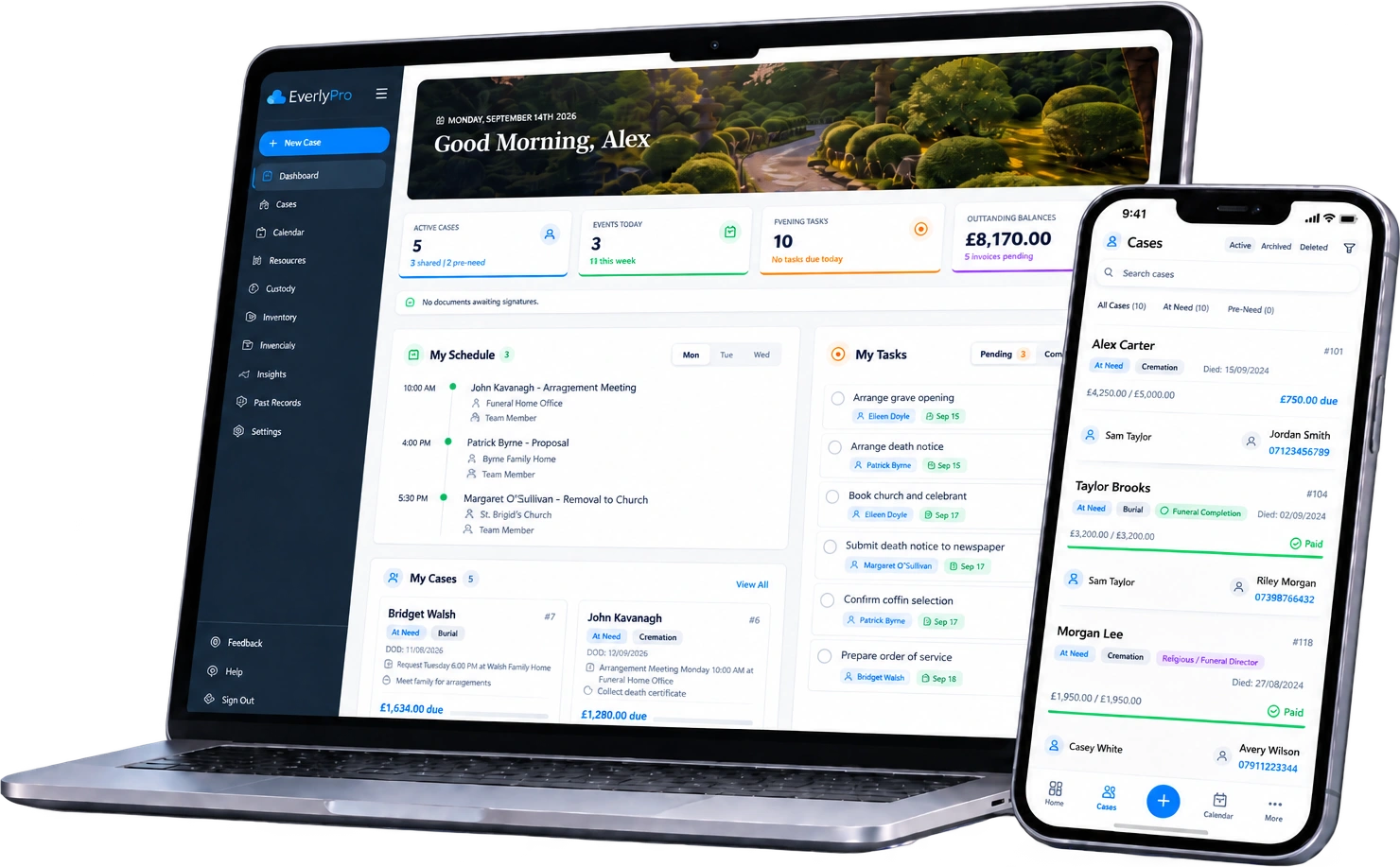
Works with the tools you already use



 QuickBooks
 Xero
Xero

 Google Calendar
 OutlookQuickBooksXeroGoogle CalendarOutlook
Before you start
A fair look at Spreadsheets and Paper.
A surprising number of funeral homes run entirely on spreadsheets, Word templates, a shared diary and paper files. It works, until two people edit the same sheet, a template goes out with last month's dates, or the one person who knows where everything is goes on holiday. This page shows you what changes with EverlyPro and exactly what the move involves.
Head to head
EverlyPro vs Spreadsheets and Paper
10 things that decide how much admin your team carries every week.
 All 10 included
| Feature | |
Spreadsheets and paper |
|---|---|---|
| One case file with everything attachedDocuments, payments, schedule and notes in one place. | Included | Not offeredA shared drive is not a system. Version conflicts and no audit trail. |
| Documents pre-filled from the caseArrangement forms, estimates and authorisations populate themselves. | Included | Not offeredCopy and paste into Word templates. |
| eSignatures in person or by email and SMSSign on a tablet in the arrangement room or remotely from any phone. No app, no add-on. | Included | Not offeredPrint, sign, scan, file. |
| Online payments with Apple Pay and Google PayPayment links families tap on their phone. | Included | Not offeredBank details typed into an email. |
| AI-written obituaries and death noticesDrafted from the case details in seconds. You approve. | Included | Not offeredWritten from scratch every time. |
| Accounting sync with QuickBooks, Xero and SageInvoices and payments post automatically. No re-keying. | Included | Not offeredRe-keyed by hand into the accounts package. |
| Email and calendar integrationWorks with Outlook and Google. AI drafts the family emails. | Included | Not offeredCopy and paste between Outlook and the sheet. |
| Automated Google review requestsAsk families for a review at the right moment, without remembering to. | Included | Not offeredOnly if someone remembers to ask. |
| Chain of custody trackingEvery movement of the deceased logged, timestamped and attributed. | Included | Not offeredA paper log in the mortuary, if that. |
| Designed for mobile, not just accessible on itFirst call, arrangements and signatures from a phone, on the road. | Included | Not offeredExcel on a phone screen. |
Based on how spreadsheet, Word template and paper-based processes work in practice. Your setup may differ, and there is nothing wrong with a system that has served you well. This is about what changes.
A Tuesday afternoon
Your week on spreadsheets. Your week on EverlyPro.
The same funeral, the same family, a very different afternoon for your team.
Where EverlyPro stands out
Built by funeral directors. Built to save you hours.
Three differences you will feel in the first month.
One version of the truth.
Every case lives in one place with its documents, payments and schedule attached. No more hunting through folders or asking who has the latest copy.
Nothing falls through the cracks.
Set up your workflow once and every new case gets the same checklist. Tasks, deadlines and handovers are visible to the whole team, not just whoever wrote them down.
Documents that fill themselves in.
We rebuild your Word and PDF templates as auto-filled documents. Enter the details once and every form, letter and invoice is populated and ready for the family to sign on their phone.
See it, not just read it
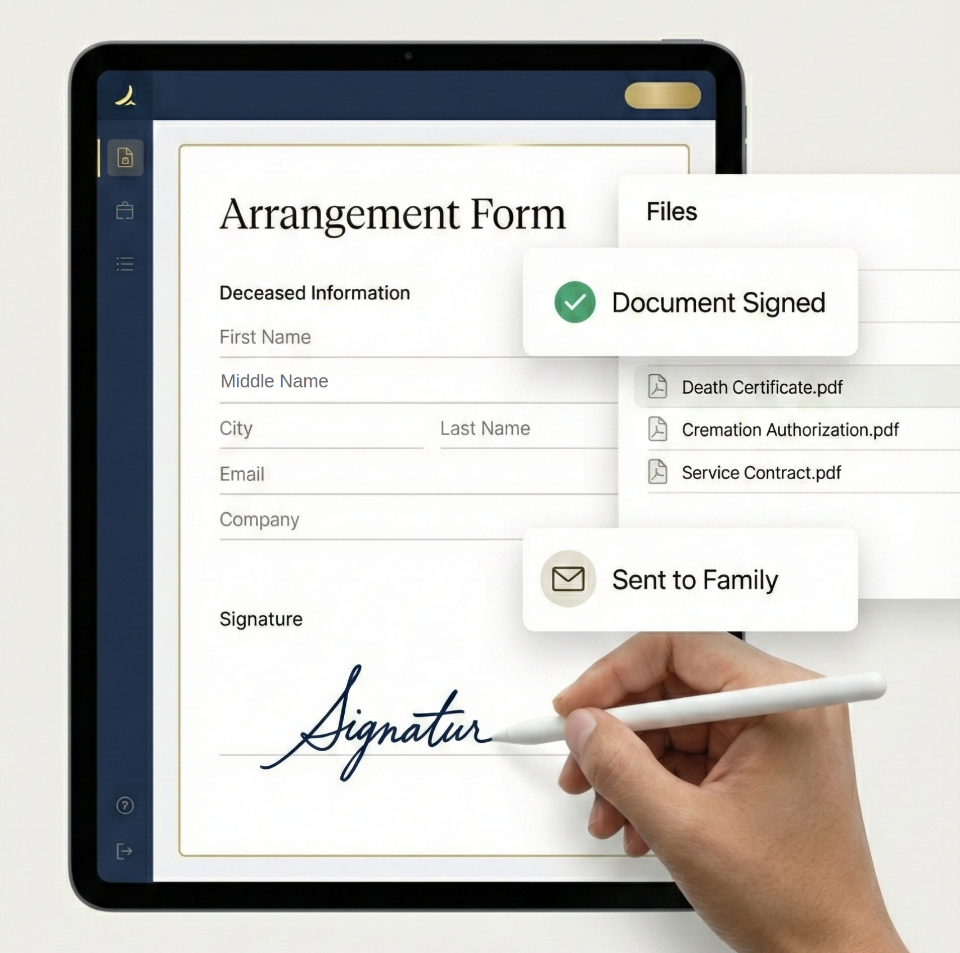
Pre-filled. Sent. Signed. Two minutes.
The arrangement form populates from the case. You press send. The family opens a link on their phone and signs. You watch it land in real time, and the signed PDF files itself against the case.
- Every document pre-filled from the case, no re-typing
- Sign in person on a tablet or remotely on any phone
- Legally valid eSignatures across the UK and Ireland
- Signed copies filed automatically. Nothing to scan
Included at no cost
Everything comes with you.
You send us the export. We map it, load it and check it with you before anything goes live. Nothing is left behind on the old system unless you want it left there.
- Your Excel or Google Sheets case log
- Client and next-of-kin details
- Invoice and payment records
- Supplier and contact lists
- Price lists
- Word and PDF templates, rebuilt as auto-filled documents
- Historical paper files, added in bulk from a simple template
- Your diary and scheduling
How we get the data out of Spreadsheets and Paper
Send us your spreadsheets exactly as they are. We do the clean-up and the mapping. You do not need to reformat anything, and there is no charge for it. If you have years of paper files, we give you a simple template to enter what you want kept and import it in bulk.
Two weeks, start to finish
We handle everything. You just show up.
There is never a day when your team has nowhere to work. Your old system stays readable until you say otherwise.
We migrate everything for you.
- Spreadsheets imported and cleaned
- Templates rebuilt as auto-filled documents
- Accounting software connected
- Whole team trained
Your team is up and running.
- Cases tracked from first call to final invoice
- Documents generated and signed digitally
- Scheduling coordinated across your staff
Ask how you ever did it the old way.
- Payments, reporting and AI fully active
- Families signing documents remotely
- Your team focused on families, not forms
FAQ
Switching from Spreadsheets and Paper, answered.
Yes. Data migration, onboarding and training are included on every plan. There is no setup fee and no charge based on how many records you have.
Most funeral homes are fully live within two weeks. On day one we import your data and connect your accounting software. By the end of week one your team is tracking cases. By week two payments, documents and AI are all active.
No. Active cases, archived funerals, contacts and financial history all come across, and you verify the import before you go live. Your data stays yours: you can export everything from EverlyPro at any time.
Yes. Keep them exactly as they are until you have checked the import. New cases go into EverlyPro from your agreed go-live date, and your old files stay on your drive for as long as you want them.
No, and you are not alone. We take them as they are, tidy the data and map it into EverlyPro. You do not need to reformat, split columns or standardise anything before you send it to us.
Only if you want to. Most funeral homes start with open cases and the last few years, then add older files gradually. We give you a simple template for bulk entry, and anything you add is searchable straight away.
Whatever you have. Excel workbooks, Google Sheets, CSV exports, Word templates and PDFs all work. We handle the mapping and clean-up. You do not need to reformat anything first.
Yes. Data is transferred over encrypted connections, stored in EU data centres and encrypted at rest and in transit using 256-bit encryption. EverlyPro is fully GDPR compliant. Case data is never sold, and it is only processed by the providers we need to run the service, such as hosting and payments, under GDPR-compliant agreements. Our Privacy Policy lists them.
Ready to move from Spreadsheets and Paper?
We'll do the heavy lifting.
Book a 15-minute demo. Tell us what you run today and we will show you exactly how the migration works for your funeral home.
Excel and Google Sheets are trademarks of their respective owners. EverlyPro is not affiliated with Microsoft or Google.